One reason why I have been resisting rooting my phone is because of the old way of rooting the HTC Desire HD. Best illustrated by the wiki on cyanogen mod. Essentially a many step process, of copying file, downgrade, copy file, reboot, and reboot.
Recently I have discovered Advanced Ace Hack Kit, basically these guys already automate everything as a 1 step process, if the firmware need to be downgrade it, will do it. But here is the big catch, it is a 32bit binary, and I installed a 64bit linux.
Thankfully mint, which essentially built on top of ubuntu(which in turn debian) have ia32-lib, which have 32bit version of library for 64bit OS. Just install it.
And read the manual, it is inside the package along with all the tools needed, unzip, and read the manual inside it. It covers everything, you need. There will be a quiz in the end ;-)
Showing posts with label android. Show all posts
Showing posts with label android. Show all posts
Friday, December 23, 2011

Saturday, December 17, 2011
New Toy for christmas

Before Unbox
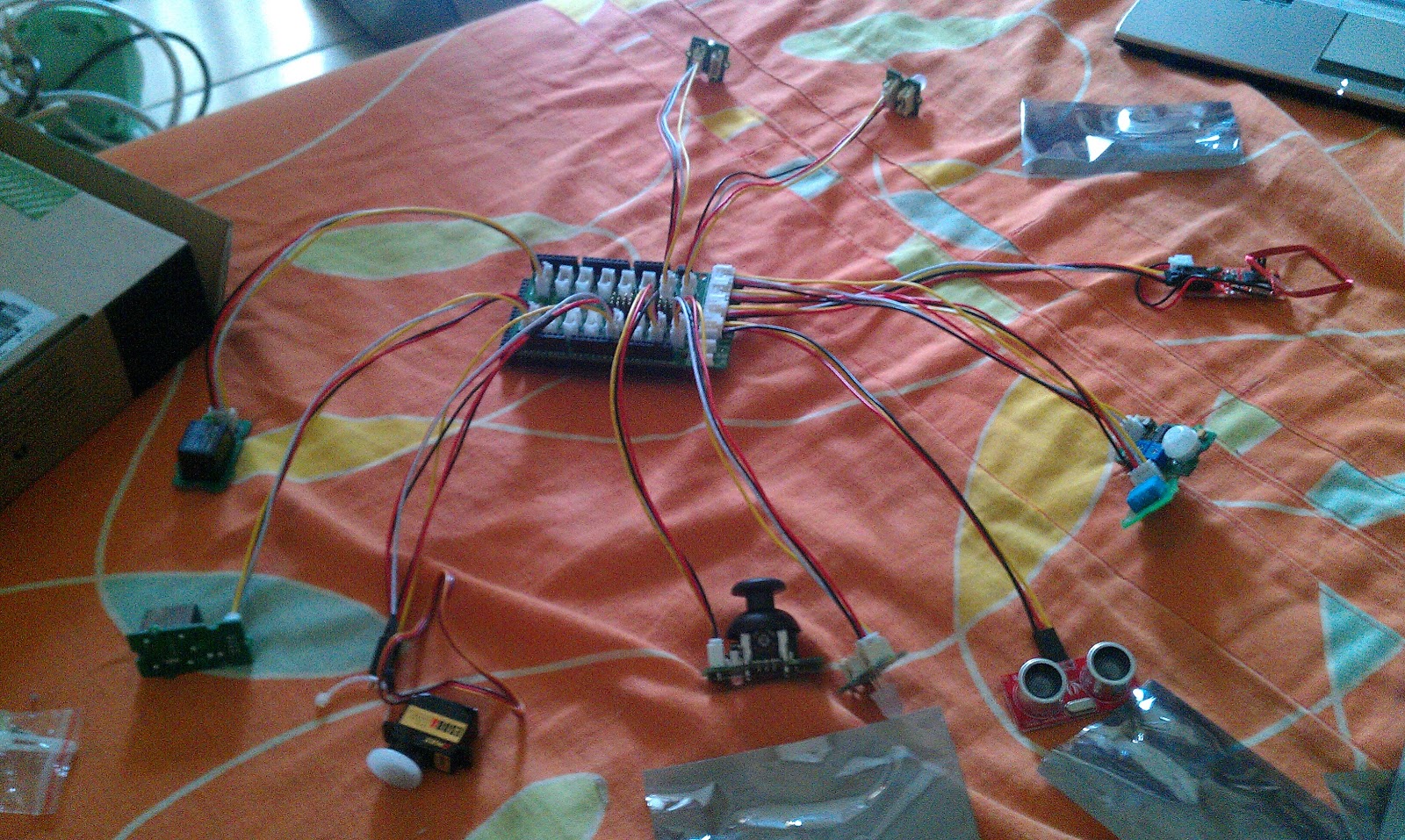
After Unbox
Tuesday, November 29, 2011
Remote Control your android with Airdroid

So I found this free android app, which allows remote control an android phone using a web browser. Once the app is install, you can start it pretty easily, with the url on displayed on the app.
What you get after open a browser, is a desktop like interface where one can use it to do quite a lot of stuff.
You can manage app from it, it install by redirect to the android marketplace web interface, but you can uninstall using the application Icon.

You can manage app install
You get a file manager that manipulate your sdcard, you can copy file from the PC, using the import button, and download the file using the export button on the file manager.

File manager like what you use in normal desktop OS
Write or reply sms

There is also photo, and musics on the browser, view the contact list, etc. It is really have a lot of feature.
For a free app, this actually offer a lot of stuff. For a webapp, it sure look like a full blown desktop. You can control the apps on the phone, but it is ok. It is useful enough for me.
The app is free on android market place, https://market.android.com/details?id=com.sand.airdroid. I recommend that you guys try it out.
Wednesday, September 14, 2011
Accessing Server from Android
Recently I help maintain some server, sometime I tend to move around. So I decide to make my phone to be useful.
Android actually have a couple of app that is useful to remotely access a machine. Some of them is free.
For connecting to SSH, I found that connectbot works extremely well. It only does ssh and telnet, and thats about it. It is pretty straight forward to use. For accessing windows server, I use 2x client. Which again another another straight forward RDP client. Both connectbox and 2x client is free, and that is awesome.
The only issue on using android phone to access a server remotely is. I have a desire hd. While the screen is pretty large for a phone, typing command via ssh or, navigate around a windows server via RDP can be still a pain. It is still smaller that most desktop screen. And I don't have a full size keyboard on the phone. Which is another pain especially I access linux server most of the time.
So it can be a pain to use at time. But for quick fix or checking on server. This work pretty well.
I attached some links for the app below
For connecting to SSH, I found that connectbot works extremely well. It only does ssh and telnet, and thats about it. It is pretty straight forward to use. For accessing windows server, I use 2x client. Which again another another straight forward RDP client. Both connectbox and 2x client is free, and that is awesome.
The only issue on using android phone to access a server remotely is. I have a desire hd. While the screen is pretty large for a phone, typing command via ssh or, navigate around a windows server via RDP can be still a pain. It is still smaller that most desktop screen. And I don't have a full size keyboard on the phone. Which is another pain especially I access linux server most of the time.
So it can be a pain to use at time. But for quick fix or checking on server. This work pretty well.
I attached some links for the app below
Wednesday, March 16, 2011
Let Android read my SMS
Another I tried on SL4A is to play with their SMS function. So, with the resulting code below:
the result in the output is a list of such dictionary, in python notnion. Since I only want the message so I call it by i['body']
Originally I read all messages, and pass to the tts library. Turn out to be a bad idea, because I have no idea how to stop it from speaking once it started....
- As usual import library, and create the Android() object
- and from the Android object call smsGetMessages, with a required parameter for unread message, True for unread only, false for other wise.
- and call the build in android Text To Speech software to read it out, by calling ttsSpeak method.
import android
droid = android.Android()
result = droid.smsGetMessages(True)
for i in result.result:
droid.ttsSpeak(i['body'])
the result in the output is a list of such dictionary, in python notnion. Since I only want the message so I call it by i['body']
{u'_id': u'59',the date is the datetime read and the read is 1 is read, and 0 otherwise. The ttsSpeak method is easy to use too, just pass in a string.
u'address': u'Address of sender aka the phone no',
u'body': u'Message Body',
u'date': u'1300254988000',
u'read': u'1'}
Originally I read all messages, and pass to the tts library. Turn out to be a bad idea, because I have no idea how to stop it from speaking once it started....
Thursday, March 03, 2011
My First Day on Android Scripting
I got myself a android phone not that long ago. One reason is, it is pretty amazing piece of hardware. Unlike iphone the SDK is available on major OS, including linux. One of the many stuff I installed is SL4A, Scripting Layer for Android, and the python interpreter for android.
One cool thing SL4A do is, we test the code remotely from a python. The wiki page have a good explanation on how to do this.
http://code.google.com/p/android-scripting/wiki/RemoteControl
One of the first thing I play around via the python interpreter on the laptop
Not much of a program nor a post, but yeah it is a start of something beautiful. I hope
One cool thing SL4A do is, we test the code remotely from a python. The wiki page have a good explanation on how to do this.
http://code.google.com/p/android-scripting/wiki/RemoteControl
One of the first thing I play around via the python interpreter on the laptop
import androidThe api page have a lot of information, so that is one place that one should look.
droid = android.Android()
data = droid.getNetworkOperatorName()
print data.result
Not much of a program nor a post, but yeah it is a start of something beautiful. I hope
Subscribe to:
Posts (Atom)