The story of Ubuntu started in 2005, I was just a Debian user, then my computer hard disk died.
So I just book a few cd while waiting for money to come in to buy my hard disk, I can't download an image anyway. I was using Knoppix around then. Before that, Debian, then Mandrake, then Debian for a year.
I booked 10 few cd, you'll be surprise how long it take for me to give it out. Lecturer is not interested(welcome to Malaysia), only few friends want it. Give a few to the computer club.
Within 4 years, it grows from a Debian derivative that automate a few installation task, and a few script. To a distro that make thing so easy. And after that, linux in general gone mature as a desktop. Hell I barely use command line, as the result.
So you can blame Ubuntu for making me lazy, making me a lazy software developer, hehe. But an powerful OS, with mature backend, and good frontend, is pretty appealing.
A short story of ubuntu, and a happy birthday...
Showing posts with label ubuntu. Show all posts
Showing posts with label ubuntu. Show all posts
Tuesday, October 20, 2009

Sunday, February 08, 2009
linux community promotional effort
What I noticed is there is a number of promotional effort by the Linux community in malaysia. Usually by the same group. In the malay language
Here is the links for their slide show in
http://www.jomlinux.com/v1/index.php/20090208211/Artikel/Berita/Slideshow-dari-e-kedai-Jom-Linux
They also have a video on how Ubuntu linux is used in the Parliment Office in Ampang.
http://www.jomlinux.com/v1/index.php/20090203209/Artikel/Berita/Dokumentari-Mini-Ubuntu-Di-Parlimen-Ampang
Here is the links for their slide show in
http://www.jomlinux.com/v1/index.php/20090208211/Artikel/Berita/Slideshow-dari-e-kedai-Jom-Linux
They also have a video on how Ubuntu linux is used in the Parliment Office in Ampang.
http://www.jomlinux.com/v1/index.php/20090203209/Artikel/Berita/Dokumentari-Mini-Ubuntu-Di-Parlimen-Ampang
Saturday, January 17, 2009
Sharing Keyboard and Mouse using synergy
Some time it is nice to actually able to share keyboard and mouse between my laptop and desktop.
The good news is, synergy actually allows such functionality, and it give the ability to share the clipboard too, meaning you can drag and drop between 2 computer.
To start using synergy
On ubuntu go to the menu
system -> administration -> synaptic to install it. Or you can just
sudo apt-get install synergy
sudo apt-get install synergy
On fedora go to menu
system -> administration -> add/remove software and search synaptic
Or you can just
yum install synergy
To start using synergy
create a text file called synergy.cond
section: screens
        comp1:
        comp2:
end
section: links
        comp1:
                right = comp2
        comp2:
                left = comp1

end

change comp1 into the name main computer or the server, and comp2 into the secondary computer

On your main machine, open a terminal and type

synergys -f synergy.conf

On the second machine

synergyc -f

Now you can share keyboard and mouse, with another machine.
BTW there is a windows version too.

http://synergy2.sourceforge.net/
this article originally in mandarin, on myclug.my, written by me
http://www.myclug.my/wordpress/?p=74
Friday, January 09, 2009
Malaysian Ubuntu Kit
A member of the malaysian ubuntu loco, have comes out with a kit. Comes with a handbook, and packaged, it is meant to make it for most people to learn linux. And yes, it is meant for malaysian in general, which is why, it is in Bahasa Melayu, Malay language.
It comes with a booklet(printed in color), ubuntu stickers, cd and a casing.And it is RM 13.99.
http://kit.jomlinux.com/index.php?option=com_content&view=article&id=3&Itemid=3
More info,
http://kit.jomlinux.com/
Sunday, December 28, 2008
Fun With Linux: bootchart
It is another day where I have a little adventure with my new toy, my eeepc 1000h. What I don't satisfied is the boot time, I got around 40 second on ubuntu on ubuntu using the adam's kernel.
So before to optimize, we need to investigate.
Bootchart is a way to show the boot process, in the end of the boot, you will get a chart, that shows the process.
To install on ubuntu
So the result that I get, from my setup

It is one thing to know, now, how to optimise it?
So before to optimize, we need to investigate.
Bootchart is a way to show the boot process, in the end of the boot, you will get a chart, that shows the process.
To install on ubuntu
The chart generated from the boot process, is stored in /var/log/bootchart. It is a png image.sudo apt-get install bootchart
So the result that I get, from my setup

It is one thing to know, now, how to optimise it?
Saturday, June 21, 2008
Get Adobe Air working on Hardy 64 bit redux
Finally got adobe air working. And it is really not hard
It is from here the links below.
http://www.adobe.com/cfusion/webforums/forum/messageview.cfm?forumid=72&catid=677&threadid=1349878&enterthread=y
The big idea is, unzip your adobe air sdk somewhere. Then download some .air file.
then unzip the .air file somewhere. Then on console
$PATH_TO_YOU_AIR_SDK/bin/adl -nodebug$PATH_OF_DOT_UNZIPPED_AIR_FILE/META-INF/AIR/application.xml $PATH_OF_DOT_UNZIPPED_AIR_FILE
So what twirl works,
doomi a to-do list, works with compiz on.
It is from here the links below.
http://www.adobe.com/cfusion/webforums/forum/messageview.cfm?forumid=72&catid=677&threadid=1349878&enterthread=y
The big idea is, unzip your adobe air sdk somewhere. Then download some .air file.
then unzip the .air file somewhere. Then on console
$PATH_TO_YOU_AIR_SDK/bin/adl -nodebug
So what twirl works,
doomi a to-do list, works with compiz on.
Friday, June 20, 2008
What happens.......................
Here's what I have been doing within last week:
- Was trying skype, after a very long time. Suprisingly works on my 64 bit hardy. But they give us the version 2.0, where as there is testing version of skype 4.0 for windows.
Which is a disgraced!!!!!
- Was trying to install adobe air. One it doesn't work on 64 bit. And it didn't even allow installation on 64 bit linux environment, even we have a 32 bit compatibility environment installed. And was trying on wine. Only to find out that twirl won't work.
- On the positive side, there is an interesting plugin for facebook chat.
http://code.google.com/p/pidgin-facebookchat/
So far it is working. Wonder how it works.......
- Was trying skype, after a very long time. Suprisingly works on my 64 bit hardy. But they give us the version 2.0, where as there is testing version of skype 4.0 for windows.
Which is a disgraced!!!!!
- Was trying to install adobe air. One it doesn't work on 64 bit. And it didn't even allow installation on 64 bit linux environment, even we have a 32 bit compatibility environment installed. And was trying on wine. Only to find out that twirl won't work.
- On the positive side, there is an interesting plugin for facebook chat.
http://code.google.com/p/pidgin-facebookchat/
So far it is working. Wonder how it works.......
Monday, May 05, 2008
Hardy Heron+ 5days
Last week was doing a dist-upgrade from ubuntu 7.10 gutsy to ubuntu 8.04 hardy.
Here is what I found.
1) Not many new features, i mean visible one. The few are,
- policy kit
- pulseaudio
- firefox 3
- desktop effect on kubuntu
2) A few things don't work well, for example,
- ndiswrapper: It take some work around to make it work. it revolve around unloading the ssb and ndiswrapper module, then reload ndiswrapper first then ssb.
- Firefox 3: don't support all the plugins.
- kde4: the one in the repos don't work well, it works, with pulseaudio applet too, but, for some reason, gnome-panel seems to run at the same time.
3) Generally, most work better, more stable, But ubuntu don't have shutdown button any more, hmmmm
The verdict is, it is a worthy upgrade
Here is what I found.
1) Not many new features, i mean visible one. The few are,
- policy kit
- pulseaudio
- firefox 3
- desktop effect on kubuntu
2) A few things don't work well, for example,
- ndiswrapper: It take some work around to make it work. it revolve around unloading the ssb and ndiswrapper module, then reload ndiswrapper first then ssb.
- Firefox 3: don't support all the plugins.
- kde4: the one in the repos don't work well, it works, with pulseaudio applet too, but, for some reason, gnome-panel seems to run at the same time.
3) Generally, most work better, more stable, But ubuntu don't have shutdown button any more, hmmmm
The verdict is, it is a worthy upgrade
Saturday, February 16, 2008
Been playing with xfce

Been sick, leg can't walk, so I just too lazy to grab my laptop I place somewhere, good thing I have another linux box in my. I can't really stand windows 98.
It runs xfce, and yeah it is in xubuntu 7.04. It just that it have barely 256mb of ram, shared 32mb with the built in vga. So don't really trust it to run ubuntu.
It surprisingly mod-able. Have a few plug in, that I really fall in love with. But probably not going to be my primary desktop yet. It don't really have integrated system management tools like system setting in kubuntu. But it is lightweight enough for me to use it for slightly older machine
Monday, February 04, 2008
fixing ubuntu keyboard problem
There is this time, when there is a application works, then suddenly it doesn't work anymore, it didn't hang, it just don't accept keyboard input anymore.
Turn out there is an solution.
First install scim-bridge
then after installation, edit /etc/X11/xinit/xinput.d/scim as root
change it into
Turn out there is an solution.
First install scim-bridge
sudo apt-get install scim-bridge
then after installation, edit /etc/X11/xinit/xinput.d/scim as root
sudo gedit /etc/X11/xinit/xinput.d/scimFind the line on with GTK_IM_MODULE
change it into
GTK_IM_MODULE="scim-bridge"change the line with QT_IM_MODULE into
QT_IM_MODULE="scim-bridge"then restart your computer. or the ctrl-alt-backspace trick would work too.
Sunday, February 03, 2008
fun with linux: Quake Terminal with Yakuake

One of the fun thing of linux have been, have quite a lot of eye candy, and distraction. But sometime these can be quite useful.
Yakuake is a quake style terminal, found in multiplayer Quake. Basically it is just a terminal emulator. Except you start it by pressing f12, then it will scroll down. press f12 again to minimize it.
To get it for ubuntu, you can go:
http://getdeb.net/app/Yakuake
you can install it with either, gdebi program that start after the download or double click it.
For other distro, it might be in your repository. Didn't really check it out yet.
Friday, February 01, 2008
fun with linux: fun with KBluetooth pt2

Part 2 of the article involve another program comes with KBluetooth, Which names Send File in the menu, when you open it, it is Bluetooth OBEX Push client, Which is a bit verbose. But on the other hand, seems to work quite well. Except for certain thing I can't test yet.
Like KBlueLock, you start the program by right click on KBluetooth icon, and select Send File
You might need to search for your phone, once you are done, you can drag a file, file manager panel to the bottom. And click send. Wait then you done!!!
The thing is, file transfer from phone is broken in kubuntu gutsy. Hopefully they fix it in Hardy.
Thursday, January 31, 2008
fun with linux: fun with KBluetooth pt1
Kde comes with a framework that provide a set of software to be used with bluetooh, it is called kbluetooth. It is actually comes with kubuntu by default.
One interesting tools in it is, kbluelock. Basically it is a program that lock the screen, when bluetooth signal from a designated phone disappeared.
You can call it, by right click on the kbluetooth, which is on the system tray,
Right click on it, you should see a few program, Select KBlueLock,

It really don't do much at first, just select the right option will prompt KBlueLock to search for your phone. I just select both. And the phone.
What really cool is, my friend didn't really saw this type of program on windows before, which to me really cool. Someway to show off, linux
One thing is, it is dead easy to configure, another is, well, it take sometime to lock and unlock the screen. And can be a bit limiting
One interesting tools in it is, kbluelock. Basically it is a program that lock the screen, when bluetooth signal from a designated phone disappeared.
You can call it, by right click on the kbluetooth, which is on the system tray,

Right click on it, you should see a few program, Select KBlueLock,

It really don't do much at first, just select the right option will prompt KBlueLock to search for your phone. I just select both. And the phone.
What really cool is, my friend didn't really saw this type of program on windows before, which to me really cool. Someway to show off, linux
One thing is, it is dead easy to configure, another is, well, it take sometime to lock and unlock the screen. And can be a bit limiting
Wednesday, January 23, 2008
set default java version on ubuntu
I runs on a 64bit ubuntu, which one problem, for some reason there is no 64 bit version of java plugin for firefox. It is not in the repo. So I took the opportunity to test iced tea. A java that is based on the java source code, since java is open sourced. But for some reason it doesn't work.
I was trying to use tcgui, like from this howtoforge guide. The tcgui program, doesn't work on icedtea, not sure why. One solution was to remove it.
Another is assuming that you have a sun-jre. Is by running this command, in terminal:
p.s This I assume that you install java from repository, because not sure whether it will work if you install manually.
I was trying to use tcgui, like from this howtoforge guide. The tcgui program, doesn't work on icedtea, not sure why. One solution was to remove it.
Another is assuming that you have a sun-jre. Is by running this command, in terminal:
sudo update-java-alternative -s java-6-sunTo check whether you have the jre from sun
update-java-alternative -lthis will list out the jre, that is available. When you see, "java-6-sun", then you have it.
p.s This I assume that you install java from repository, because not sure whether it will work if you install manually.
Sunday, January 06, 2008
Fun with linux: Pulseaudio, a advance sound server
In windows vista, there is one feature, Per Application Volume, which to me is very useful, imagine, because sometime I play simple games and listen to music in the same time. I don't want the game interfere with the music.
In linux, there is such thing as well, it is Pulseaudio, a new comer in the sound server world. It have Per Application volume control, it also have the ability to stream across network, integrate with avahi, the linux zero conf networking server. And few others. It is currently the default sound server for fedora core 8. And ubuntu have it in repository, but is not the default sound server, on the other hand, it is not hard to install.
https://wiki.ubuntu.com/PulseAudio
Based on the links, it is just a matter of
For 64 bit user, there will be problem using flash, just follow the advice here. Basically you need to download the file in the first post and install it.
After all the work, you will have a feature similar to windows vista, and ability to stream across network, which vista don't have, as well.

In linux, there is such thing as well, it is Pulseaudio, a new comer in the sound server world. It have Per Application volume control, it also have the ability to stream across network, integrate with avahi, the linux zero conf networking server. And few others. It is currently the default sound server for fedora core 8. And ubuntu have it in repository, but is not the default sound server, on the other hand, it is not hard to install.
https://wiki.ubuntu.com/PulseAudio
Based on the links, it is just a matter of
sudo apt-get install libasound2-plugins "pulseaudio-*" paman padevchooser \So the links would work very well for everyone.
paprefs pavucontrol pavumeter
For 64 bit user, there will be problem using flash, just follow the advice here. Basically you need to download the file in the first post and install it.
After all the work, you will have a feature similar to windows vista, and ability to stream across network, which vista don't have, as well.

Friday, January 04, 2008
smb4k: a kde utility to connect windows share on linux

When you use linux, there is a few problem, one of it is, using windows share folder. While many distro have bundle plugin for their default file manager, like kde's konqueror, and dolphin, and gnome's nautilus. At least, ubuntu have did that.
Sometime, it just nice to have utility for browsing windows shares. smb4k is one such utility. It's a utility that is used to browser windows shares. It features, a network browser, a search function, and a configuration manager for your samba. And yeah did I tell you, It mount shares. Meaning, once you are connected to a network, it will automatically, mount the shared folder, you can access it, like any folder.
Let say, I think it's refreshing to have another way to access a shared folder, than to use the default file manager. And comes with the nice features too.
Thursday, January 03, 2008
the userdir apache module
By default, the apache webroot, in ubuntu, or most distro. Is in /var/www. Which is not really a big deal, except, it's a pain to finish writing a php script, then as root, or sudo to cp to /var/www.
If it's just a server, it's perfectly fine, for a development machine, it's a pain.
On the other hand. There is a userdir, module in apache. What it does basically, is it enable you to put your file in your home directory, then apache will serve the file there. By default, apache will search in /home/youraccount/public_html, or /home/useraccount/www or /usr/www. To access the file, you just need to call by http://yourserveraddress/~youraccount, with a browser.
To make it easy for me to write stuff into, i just use the form in my home directory. The implication is that, you can redirect your ide to use the directory as your work space.
To do it on ubuntu, inside, /etc/apache2 have a mods-available directory, another is mods-enabled directory. The former is the modules available, the latter is just a symbolic links, to the modules in mods-available.
To enable userdir, in /etc/apache2
run the following in a shell
to test it just call your browser direct to http://localhost/~yourusername
Or do it properly, we can start a small web hosting business
, or have friends to share a web space, on your server. etc.
If it's just a server, it's perfectly fine, for a development machine, it's a pain.
On the other hand. There is a userdir, module in apache. What it does basically, is it enable you to put your file in your home directory, then apache will serve the file there. By default, apache will search in /home/youraccount/public_html, or /home/useraccount/www or /usr/www. To access the file, you just need to call by http://yourserveraddress/~youraccount, with a browser.
To make it easy for me to write stuff into, i just use the form in my home directory. The implication is that, you can redirect your ide to use the directory as your work space.
To do it on ubuntu, inside, /etc/apache2 have a mods-available directory, another is mods-enabled directory. The former is the modules available, the latter is just a symbolic links, to the modules in mods-available.
To enable userdir, in /etc/apache2
run the following in a shell
sudo ln -s mods-available/userdir.load mods-enabled/and don't forget to create, public_html in your home directory.
sudo ln -s mods-available/userdir.conf mods-enabled/
to test it just call your browser direct to http://localhost/~yourusername
Or do it properly, we can start a small web hosting business
, or have friends to share a web space, on your server. etc.
Saturday, December 22, 2007
Just Modded My Ubuntu Desktop
The days when I Modded the Desktop. This is what happen when someone is bored.
The Bar below is actually awn, avant windows navigator, Look Deceptively like apple doc, which actually not, I look like one, it is function more like a taskbar, Which all sort of plugin.
To run awn, you will need to have compiz. It is actually a prerequisite.
The installation guide is here. http://www.ubuntugeek.com/howto-install-avant-window-navgator-in-ubuntu-gutsy-gibbon.html
Note, it is very ubuntu specific, and need a lot of command line, which scares a lot of user. And yeah, install the extra plugin too, it look a lot nicer with it
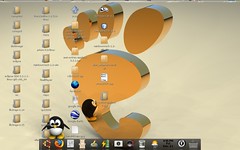
The Bar below is actually awn, avant windows navigator, Look Deceptively like apple doc, which actually not, I look like one, it is function more like a taskbar, Which all sort of plugin.
To run awn, you will need to have compiz. It is actually a prerequisite.
The installation guide is here. http://www.ubuntugeek.com/howto-install-avant-window-navgator-in-ubuntu-gutsy-gibbon.html
Note, it is very ubuntu specific, and need a lot of command line, which scares a lot of user. And yeah, install the extra plugin too, it look a lot nicer with it
Thursday, December 20, 2007
photo management (k)ubuntu
One of the thing in life, that we have a lot on our computer is Photo, (no) thanks to the invention of digital camera.
On windows, most of the solution revolve around Picasa. On linux, or most other open source os for that matter, there exist a few.
1) F-Spot

It's a photo manager for gnome desktop. It have a few features, such as tagging, arrange the pictures based on the time, slideshow, a few photo touch up.
All is easy to use. But in term of features, it is a bit lagging. But for most of the task, it is good enough to use.
It is comes with ubuntu when you install ubuntu. But need to install if you use kubuntu, just type "sudo apt-get install f-spot" in terminal
2) DigiKam
 1. phto edit mode 2) gallery
This on the other hand, is an kde application. Have most of the features, as F-Spot. But it have more features.
Among of it are, import directly from camera, export slide as mpeg, export as remote gallery(which post a gallery online), geolocation, export to ipod etc.
In term of photo touch up, there is more than fspot. For one more effect. Such as decorate etc. But you need to select edit, by right click it.
Kinda reminds me of Picasa.
It comes with kubuntu, i think, if it doesn't just type, "sudo apt-get install digikam" from terminal
3)Picasa

1) photo edit 2) gallery
Picasa is a free (in cost) software from google, and have been runnning on linux for a year. What make it interesting is, it is a way to build the software with wine, so that you can run it on linux.
Yes, picasa is still windows app, but combine with wine to make it runs on linux.
Feature wise, it have all the feature of digikam, and fspot. Except on the latest beta, it integrates with picasa web album. Also the collage feature also a nice thing, and integrate with blog. But some of it didn't really work yet.
One nice thing is that, it have a nice interface to manage and edit the photo. What sucks, it doesn't work as well as the windows version. And not open source. Also the only 64bit version is the latest beta.
http://picasa.google.com/linux/download.html
4) End notes
There is no verdict here, just to show the options available
For 64 bit ubuntu user, the only version of picasa that will run on 64bit machine is, the latest beta. So just download the AMD64 .deb file
On windows, most of the solution revolve around Picasa. On linux, or most other open source os for that matter, there exist a few.
1) F-Spot


It's a photo manager for gnome desktop. It have a few features, such as tagging, arrange the pictures based on the time, slideshow, a few photo touch up.
All is easy to use. But in term of features, it is a bit lagging. But for most of the task, it is good enough to use.
It is comes with ubuntu when you install ubuntu. But need to install if you use kubuntu, just type "sudo apt-get install f-spot" in terminal
2) DigiKam

 1. phto edit mode 2) gallery
This on the other hand, is an kde application. Have most of the features, as F-Spot. But it have more features.
Among of it are, import directly from camera, export slide as mpeg, export as remote gallery(which post a gallery online), geolocation, export to ipod etc.
In term of photo touch up, there is more than fspot. For one more effect. Such as decorate etc. But you need to select edit, by right click it.
Kinda reminds me of Picasa.
It comes with kubuntu, i think, if it doesn't just type, "sudo apt-get install digikam" from terminal
3)Picasa


1) photo edit 2) gallery
Picasa is a free (in cost) software from google, and have been runnning on linux for a year. What make it interesting is, it is a way to build the software with wine, so that you can run it on linux.
Yes, picasa is still windows app, but combine with wine to make it runs on linux.
Feature wise, it have all the feature of digikam, and fspot. Except on the latest beta, it integrates with picasa web album. Also the collage feature also a nice thing, and integrate with blog. But some of it didn't really work yet.
One nice thing is that, it have a nice interface to manage and edit the photo. What sucks, it doesn't work as well as the windows version. And not open source. Also the only 64bit version is the latest beta.
http://picasa.google.com/linux/download.html
4) End notes
There is no verdict here, just to show the options available
For 64 bit ubuntu user, the only version of picasa that will run on 64bit machine is, the latest beta. So just download the AMD64 .deb file
Friday, December 14, 2007
mame game on ubuntu redux: kxmame configuration
Actually before you are able to run mame, assume that you already have a game.
you will need to configure kxmame. It would be under settings, directories
 What next is to add the directory where you have your roms. For me I just create a folder called mame.
lastnote:
Once you get your rom, in the directory, copy the whole directory to the mame folder. Or what ever name you add to kxmame. and copy the bios file to the roms directory
you will need to configure kxmame. It would be under settings, directories
 What next is to add the directory where you have your roms. For me I just create a folder called mame.
lastnote:
Once you get your rom, in the directory, copy the whole directory to the mame folder. Or what ever name you add to kxmame. and copy the bios file to the roms directory
Subscribe to:
Posts (Atom)